UV Forge
A downloadable plugin for Windows
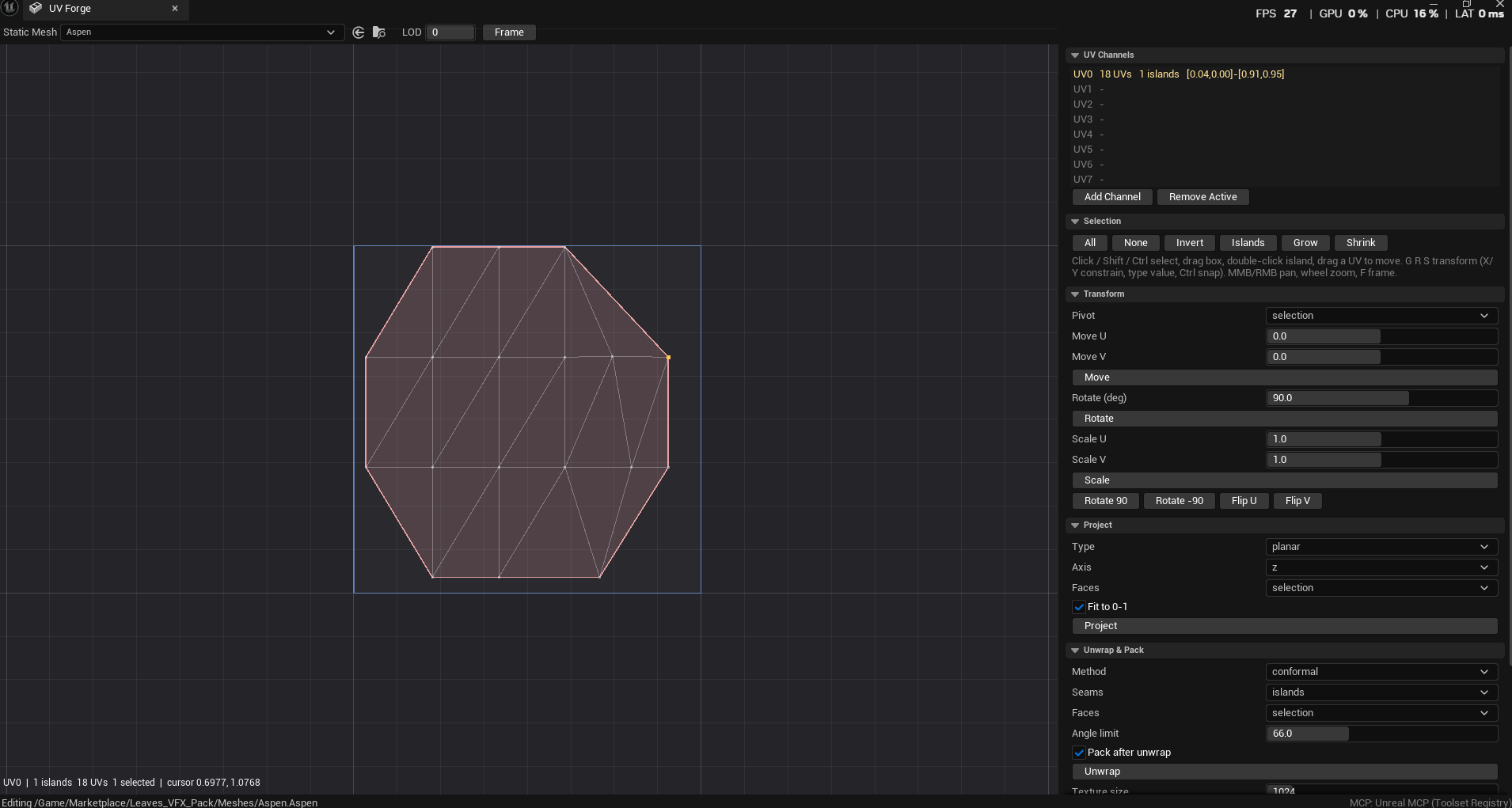
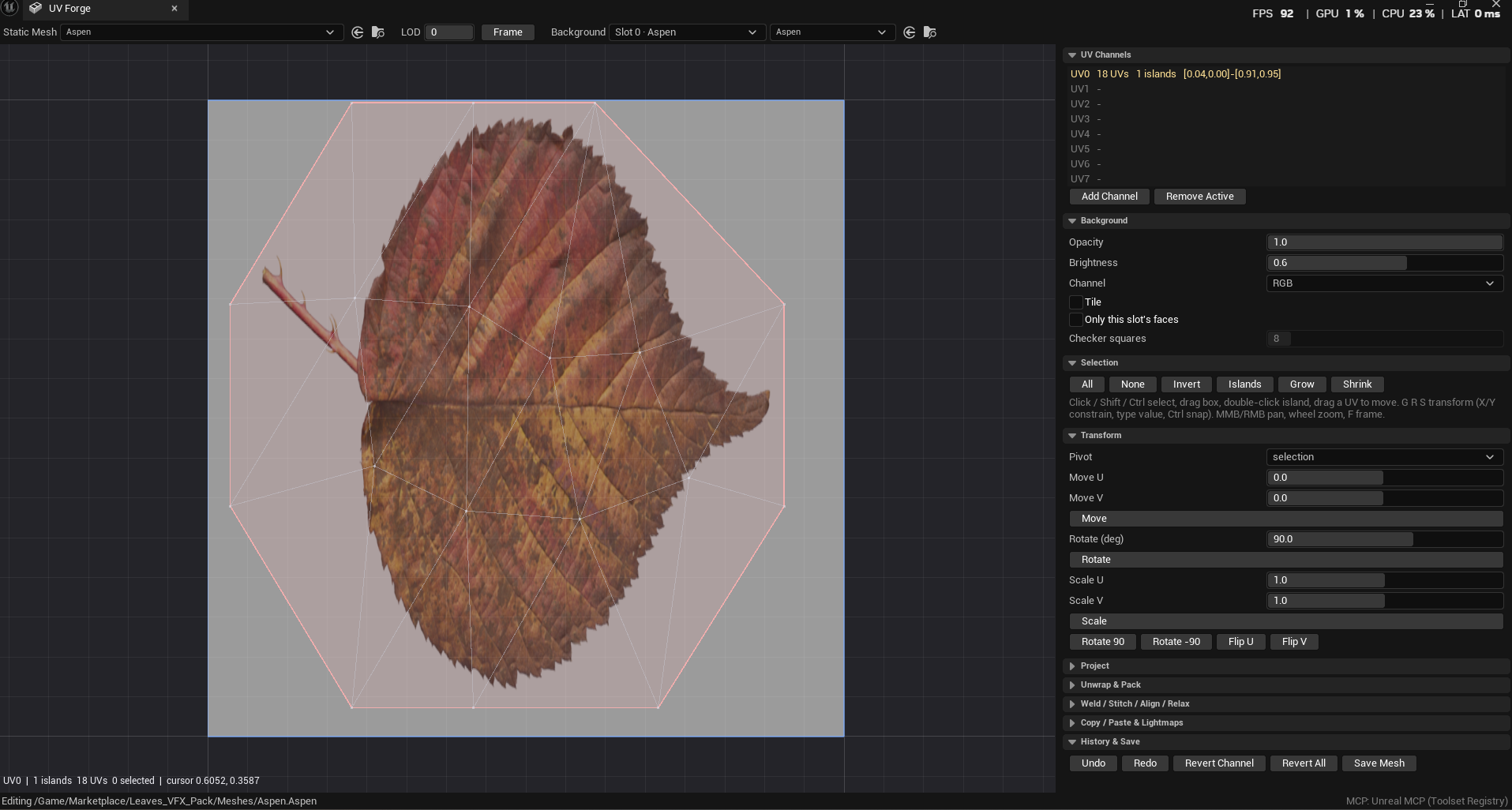
UV Forge: a Blender-style UV editor inside Unreal Engine
Edit static mesh UVs without leaving the editor. UV Forge adds a dedicated UV window with the controls Blender users already know: click, box and island selection, G/R/S to grab, rotate and scale, axis constraints, typed values and snapping.
What you can do
- Unwrap with seams from your existing islands or by face angle, then pack into 0–1 with a margin you set
- Project UVs (planar, box, cylindrical, spherical), relax, minimize stretch, weld, stitch, align and flip
- Copy and paste UV layouts between channels and meshes, add or remove UV channels, and set up lightmap UVs
- See your mesh's own textures behind the UVs, with its base color picked automatically, or switch to a UV checker to spot stretching and flipped islands
- Filter by material slot to edit one material's faces at a time
Built for real projects
- Every edit can be undone, and you can revert to the original UVs at any time
- Respects source control checkout
- Editor-only: adds nothing to your shipped game
Works with AI agents All 42 operations are available as MCP tools, so an AI agent such as Claude can inspect and edit your UVs directly. On UE 5.8 the tools plug into Epic's Unreal MCP; earlier versions use UV Forge's own built-in server.
Unreal Engine 5.5–5.8 · Windows
Purchase
In order to download this plugin you must purchase it at or above the minimum price of $20 USD. You will get access to the following files: